Level 2
-
How do I access Level 2 quotes in Fidelity Trader+™ Desktop?
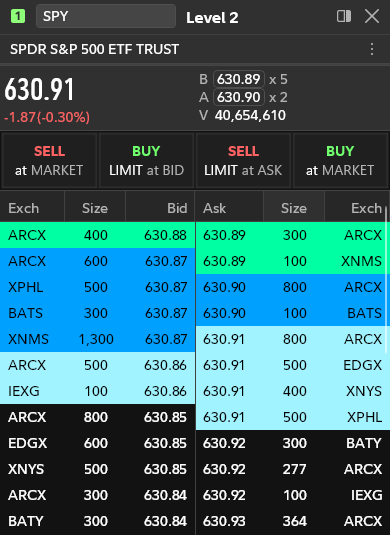
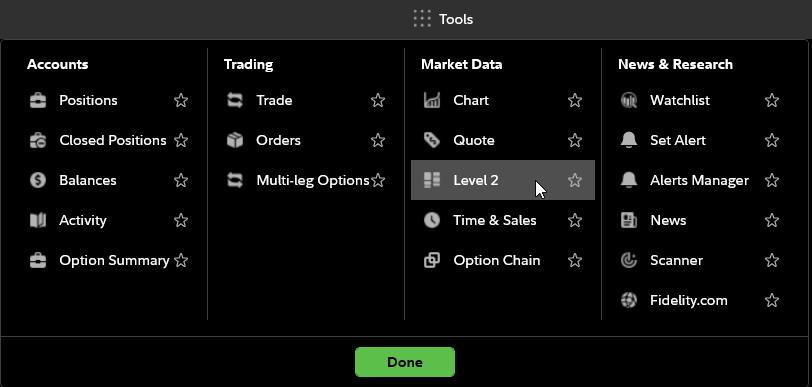
In the Tools menu, under Market Data, select Level 2 quotes. In Fidelity Trader+™ Desktop, this will open a Level 2 quote window. Enter the symbol of the stock or ETF in top left corner of the tool. Streaming bid and ask quotes data will be color-coded and grouped by price. Bid data is shown on the left, with highest $ bids on top, and ask data is shown on the right with the lowest $ asks on top.
-
What are the Level 2 quote colors in Fidelity Trader+™ Desktop?
In Fidelity Trader+™ Desktop, the 1st level or group of bid and ask values are shown in green, 2nd level in dark blue, and 3rd level in light blue to more easily see how much volume is available at each price and on which exchange. Future versions may have the ability to change these colors.