Fidelity Trader+ Desktop User Guide

Introduction

Get quick answers about Fidelity Trader+™ Desktop in this guide — designed to help you trade with confidence and ease.

  • What is Fidelity Trader+ Desktop?

    Fidelity Trader+ Desktop, previously known as Active Trader Pro®, is Fidelity’s advanced desktop trading platform designed for active investors. It offers a comprehensive suite of tools for trading equities, ETFs, and options. The platform provides traders with real-time market data and streaming quotes, advanced charting and technical analysis tools, customizable layouts, and portfolio monitoring with real-time gain/loss tracking and order status.

  • How do I download and install Fidelity Trader+ Desktop?

    Visit the Fidelity Trader+ homepage and select the green "Download Fidelity Trader+ Desktop" button. In the pop-up, choose "Download now" under either 64-Bit for PC or 64-Bit for Mac. Once the file downloads, run the installer. After installation, launch the app from the new desktop icon.

  • How do I access messages and alerts in Fidelity Trader+ Desktop?

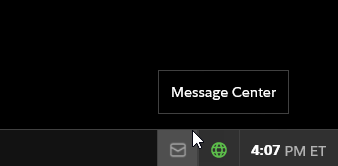
    To access messages and alerts in Fidelity Trader+ Desktop, select the envelope in the bottom right-hand corner to open Message Center. There are 4 types of messages: Account, Education, System, and Trade. These messages will notify you of restrictions and house calls, educational events and market holidays, known system issues or software updates, and trade executions or changes in your order's status.