Help & support
-
How do I access Help and Education resources in Fidelity Trader+™ Desktop?
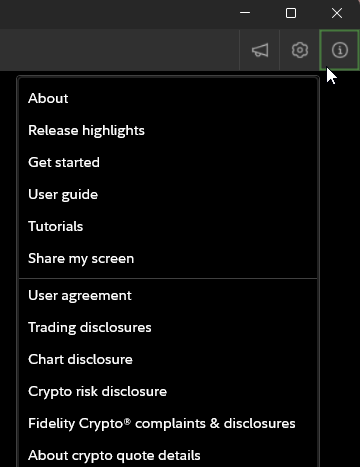
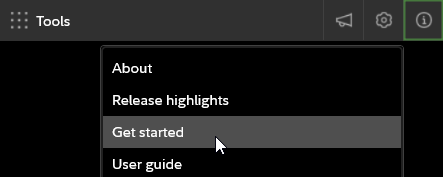
To access the Help and Education resources, select the Help icon in the top right corner of Fidelity Trader+™ Desktop. This will provide information about your current software version, release highlights, restart onboarding, help guide, and screen sharing capabilities when working with customer support.
-
What software version is my Fidelity Trader+™ Desktop?
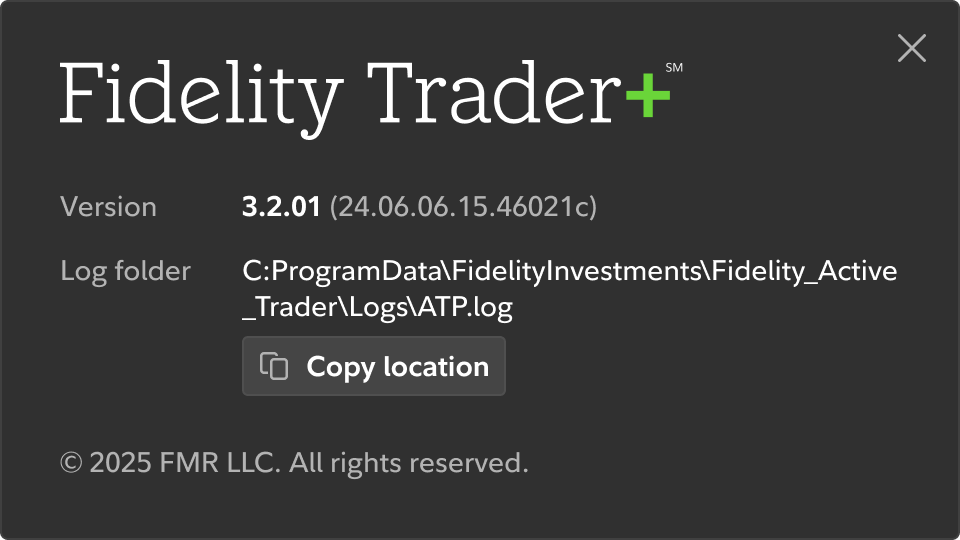
To determine your current version of Fidelity Trader+™ Desktop, first select the Help icon in the top right corner of the platform. Then select About. This will provide your version number and location of application logs. Application logs are used for troubleshooting issues that may occur with the application.
-
Where do I find release highlights in Fidelity Trader+™ Desktop?
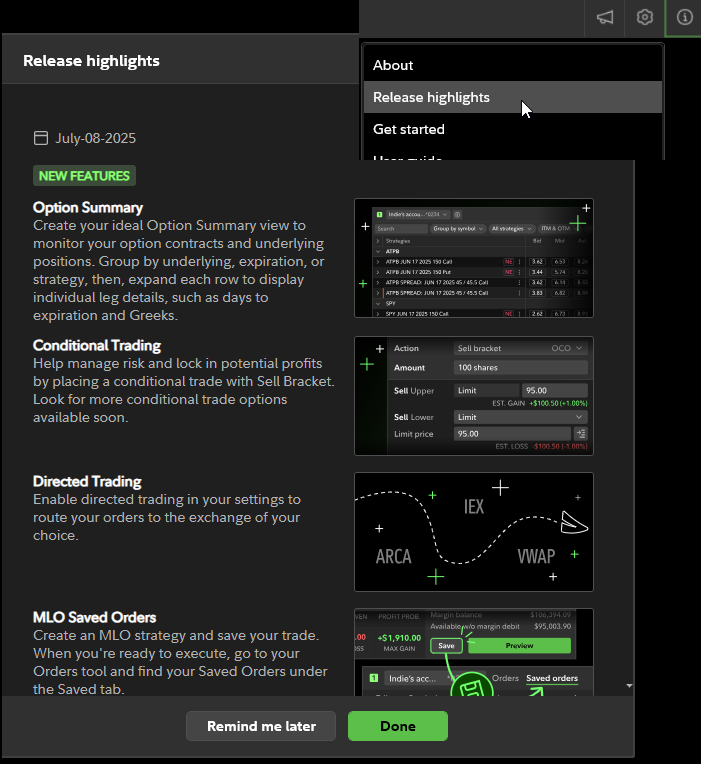
To locate Fidelity Trader+™ Desktop release highlights, first select the Help icon in the top right corner of the platform. Then select Release highlights. Summaries of new features, enhancements, and bug fixes will be listed from newest to oldest.
-
How do I restart the onboarding experience in Fidelity Trader+™ Desktop?
Access the Fidelity Trader+™ Desktop onboarding by first selecting the Help icon in the top right corner of the platform. Then select Restart onboarding. The onboarding will provide brief interactive instructions on how to launch, favorite, use, and link tools, as well as customize your layout and provide feedback to our developers.
-
How do I share my screen in Fidelity Trader+™ Desktop?
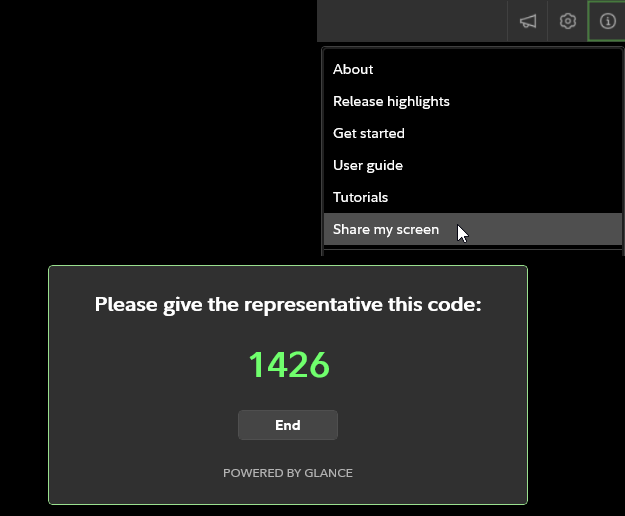
To share your screen with a Fidelity associate, start by selecting the Help icon in the top right corner of the platform. Then, select Share my screen and provide the 4 digit code that appears. The screen sharing session begins only when you share this code and can be ended by you at any time. The associate can view only the Fidelity Trader+™ Desktop platform, not your entire screen. Associates can gesture or draw on your screen but cannot control the application. If you use multiple monitors, they’ll see the platform across the various screens.