Chart
-
How do I access a chart in Fidelity Trader+™ Desktop?
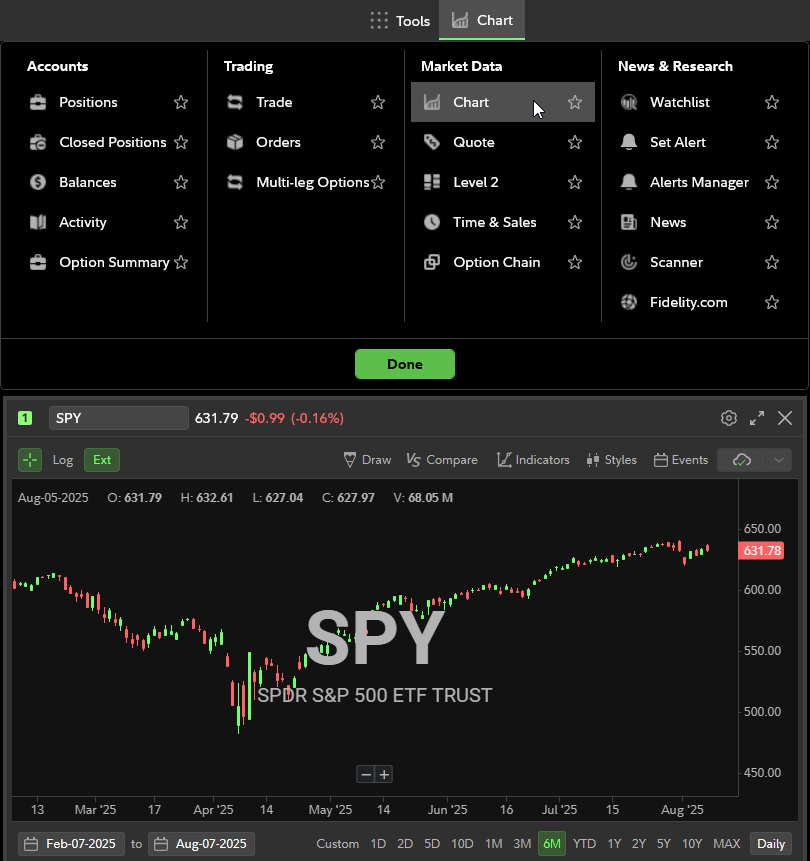
In the Tools menu under Market Data in Fidelity Trader+™ Desktop, select Chart. This will open a Chart window. Move and resize the chart within your layout as needed. In the top left of the chart, enter the symbol of the stock, ETF, index, etc. you wish to research.