


Most investors don't have the time to constantly watch the market to catch the exact moment an investment reaches a certain price. Because of this, placing a trade at a desired price can be difficult. That's where a limit order can be useful. It allows you to set the maximum price you're willing to pay when buying or the minimum price to accept when selling.
What is a limit order?
A limit order is a direction an investor gives their brokerage firm to buy a security, up to a maximum price they set, or sell one, down to a minimum price they set. Limit orders target price but don't guarantee the trade will happen. That's because the security's price may not reach the threshold the investor sets.
How does a limit order work?
A limit order can be a buy limit order or a sell limit order. A buy limit order is usually set at or below the current market price, so the buyer potentially gets a good deal. A sell limit order is usually set at or above the current market price, so the seller potentially gets a good deal. The price at which an investor might set a limit order above or below the current price can depend on various factors, including how volatile the market is and what kind of security the investor is trading.
Limit orders may be filled in whole, in part, or not at all, depending on the number of shares available for sale or purchase at the time. It might make sense to place conditional orders. Choices include:
- Fill or Kill (FOK): The order must be completed right away, or it is canceled with no trade made.
- Good-’til-Canceled (GTC): The order stays active for up to 180 days, or until it is filled or you cancel it.
- Immediate or Cancel (IOC): You set a price, and as much of the order as possible is filled right away; any remaining portion is canceled.
- All or None (AON): The order is only filled if it can be completed in full; otherwise, no part of it is filled.
Limit order vs. market order
The main differences between a limit order and a market order are the speed at which the trade executes (potentially faster for a market order; perhaps never for a limit order) and the ability to set the price before it executes (which you can do for a limit order but not for a market order).
If your priority is executing a trade immediately, rather than controlling its execution price, you might use a market order. A market order is an instruction to buy or sell as soon as possible at the current available price when the market is open. The execution price may differ from the price displayed when you submit the order because market prices can change quickly, and your trade might not execute right away, especially in volatile or less-active markets (e.g., not many shares traded daily on average). In contrast, a limit order lets you set the exact price you're willing to accept, so the trade will only happen at that price, or better, but it may not be executed if the market never reaches your price.
Advantages of a limit order
The pros of a limit order include:
Control over the price you buy or sell a security: You decide how much you're willing to pay or earn upfront.
Can help manage your risk in times of volatility: Because you pick the price with a limit order, you're less subject to a rapid price swing that might impact a market order. With a limit order you could still miss the trade by a rapid swing in price.
Results can be more satisfying: You're less likely to be disappointed by the price at which your trade executes because you chose it.
Drawbacks to a limit order
Limit orders aren't without their downsides.
Order may not be filled in full or at all: This can happen if the price you set is never reached or if there aren't enough shares available to complete your order.
Price gaps: If a security's price jumps past your set price (for example, moving from $19 to $23 when your price was $20), your order will not be executed because the price never hit $20. The most common example is that the price moves substantially between the market close and the market open, overnight, or over the weekend.
Extra fees for partial fills: If your order is completed in smaller portions across multiple days instead of all at once, and each transaction includes a commission fee, you may end up being charged multiple fees.
How to place a limit order at Fidelity
You can place limit orders in any brokerage account for stocks, ETFs, bonds, and options. You cannot use a limit order for mutual fund trades. To place a limit order at Fidelity:
1. Log into your account.
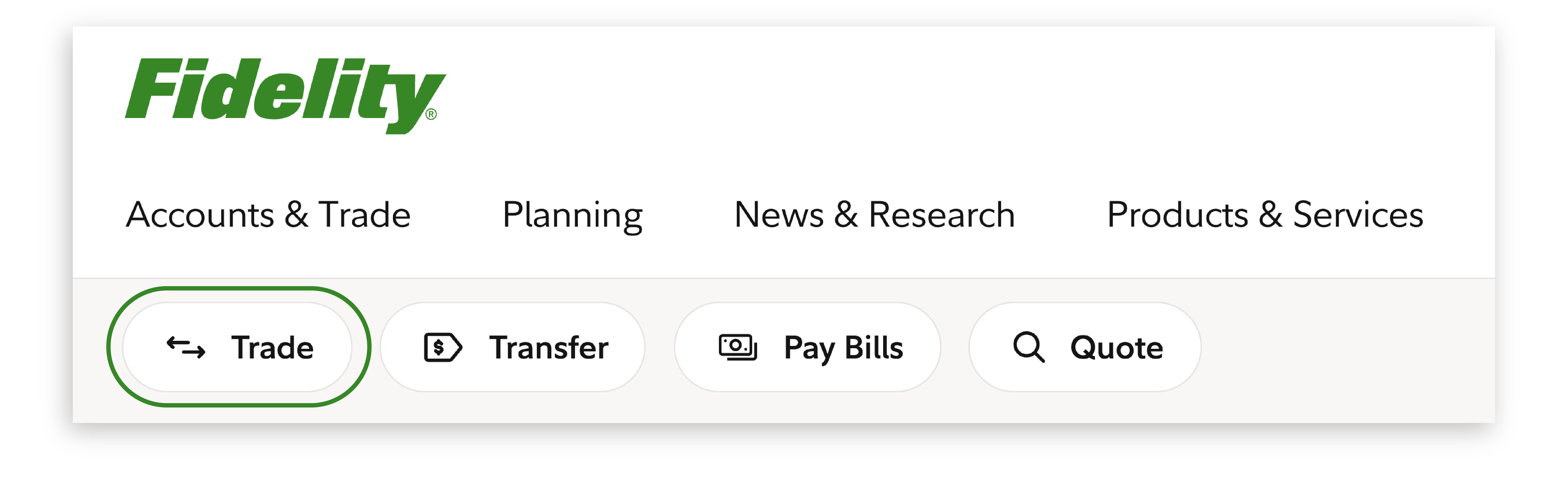
2. Select Trade (located below Accounts and Trade in the navigation bar at the top).
3. From the dropdown menu, select what you're trading (stocks/ETFs, fixed income, or options).
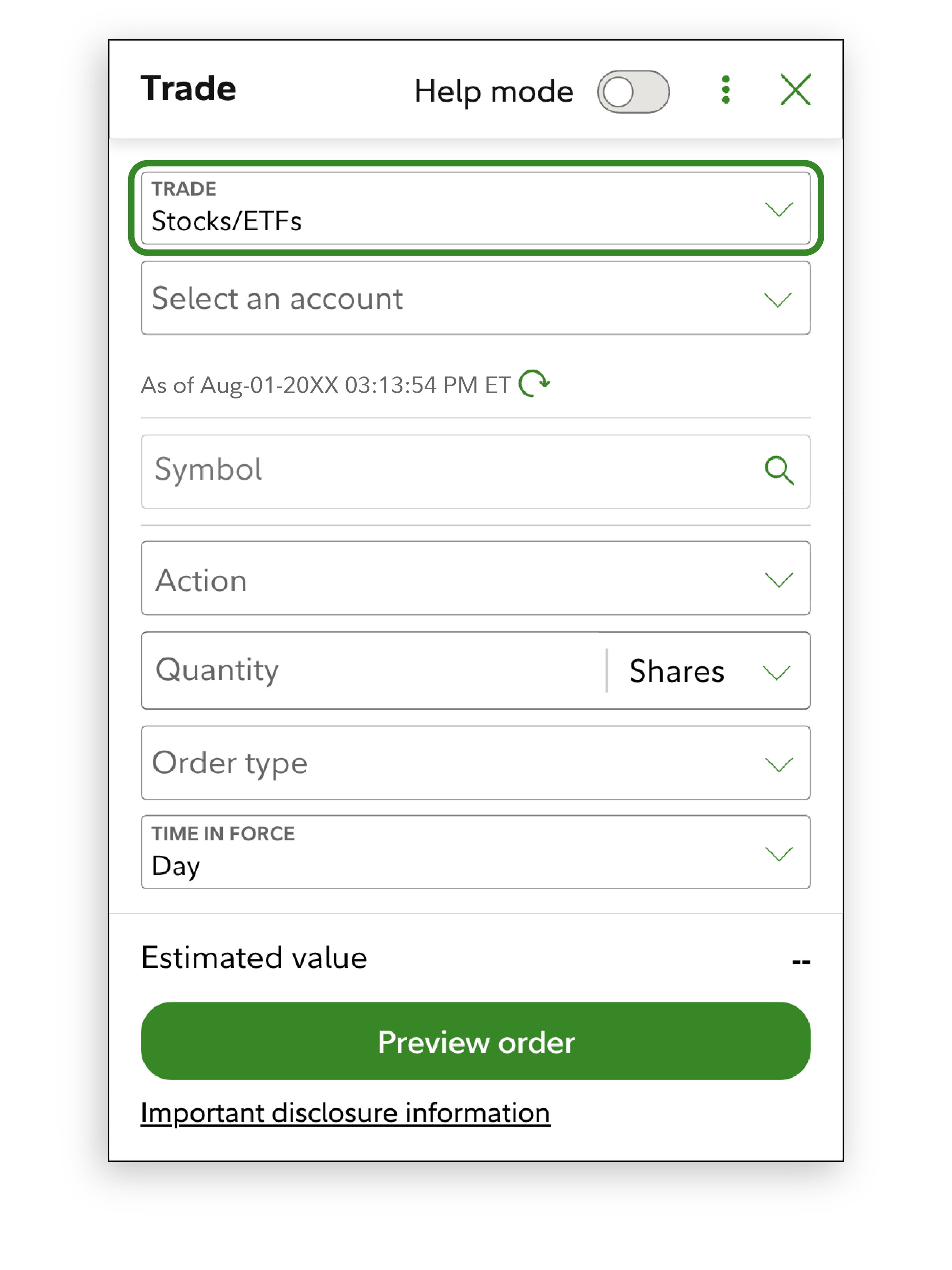
4. Select the account in which you'd like to place the trade (brokerage account, IRA, HSA, etc.).
The cash available to trade will appear once you've chosen the account.
5. Enter the symbol of the security you wish to buy or sell.
If you are buying, the page will tell you if you have enough to make the purchase. To find the symbol, the few letters that represent the stock, fund, or other security, type the name of the company or fund in the search box (where it says "How can we help?") in the top right corner of almost every Fidelity.com page.
6. Select the action you want to execute (buy or sell).
Keep in mind that Market and Limit buy and sell orders of stocks and ETFs in dollars are only allowed during normal stock market hours (9:30 a.m. ET through 4:00 p.m. ET).
7. Select the quantity (in dollar amount or number of shares)
8. Select Order type—this is when you can choose limit order and limit price; time in force (or how long the order is in effect); and conditions if any (all or none).
"All or none" means the entire order must be filled—no partial fills allowed. For example, if you instruct your brokerage to buy 100 shares of X stock, it would mean you must be sold all 100 shares at once, not 90 shares then 10 shares later.
9. Select Trade type (cash or margin).
Trading on margin enables you to leverage securities you already own to purchase additional securities, sell securities short, or access a line of credit. While there are benefits to establishing a margin account, it's critical to fully understand the risks of margin.
Related: Margin trading and lending
10. Select Preview order.
11. If all looks good, select Place order.