Key dates for the Anthropic IPO
What is Anthropic?
Anthropic is an artificial intelligence research and product company focused on developing safe, reliable, and beneficial AI systems. The company builds advanced AI models and tools, including its flagship assistant Claude, to help individuals and organizations with tasks such as writing, analysis, coding, and research.
Since its founding in 2021, Anthropic has become a leading AI company, marked by the release of multiple generations of Claude models, strategic partnerships with major technology providers, and ongoing contributions to AI safety research and responsible AI development.
How to participate in the Anthropic IPO
You can participate in an IPO on Fidelity.com from the Initial Public Offerings (IPOs) Calendar. Fidelity customers with at least $25,000 in certain assets at Fidelity may be eligible to participate.1 Follow our step-by-step guide to learn how to get involved.

Check out our IPO calendar
View initial public offerings (IPOs), download a prospectus, or participate.

1. Sign up for IPO Alerts to be notified by email.
This will automatically prompt you to log into your Fidelity account if you’re not already logged in.

2. Select Participate for the offering you'd like to participate in.

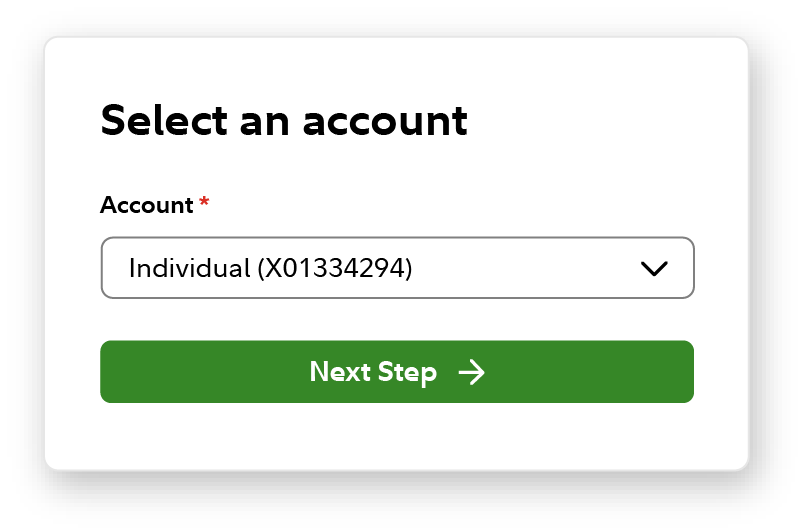
3. Select the account, and then Next Step.
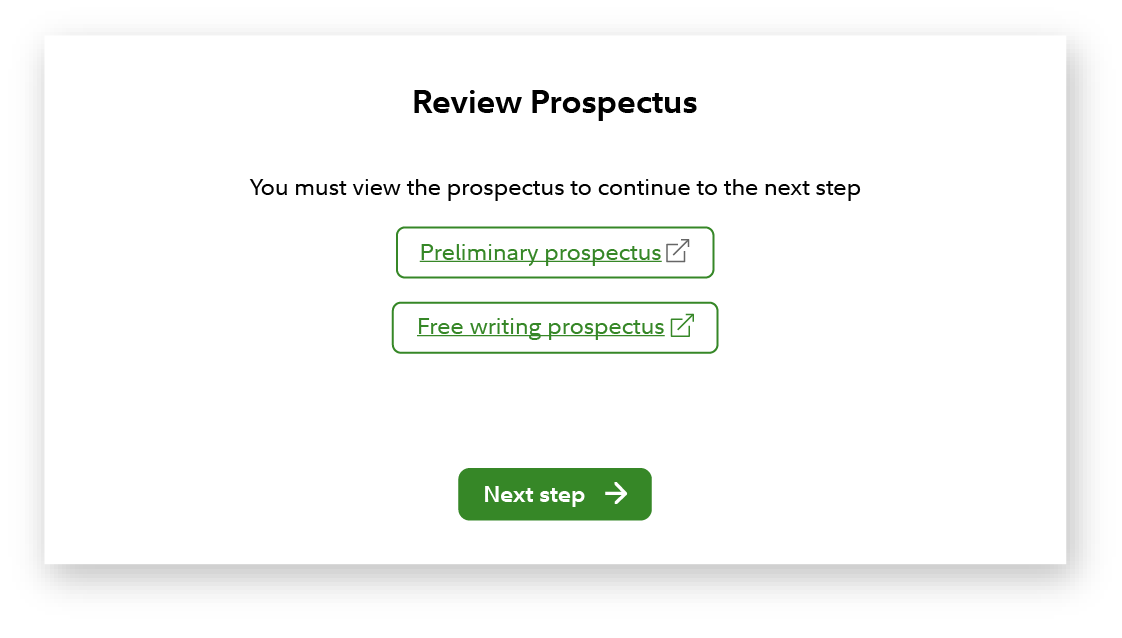
4. Download and Review the Prospectus, then Next Step.
You must open the prospectus as part of the participation flow, even if you had previously opened from the calendar page.
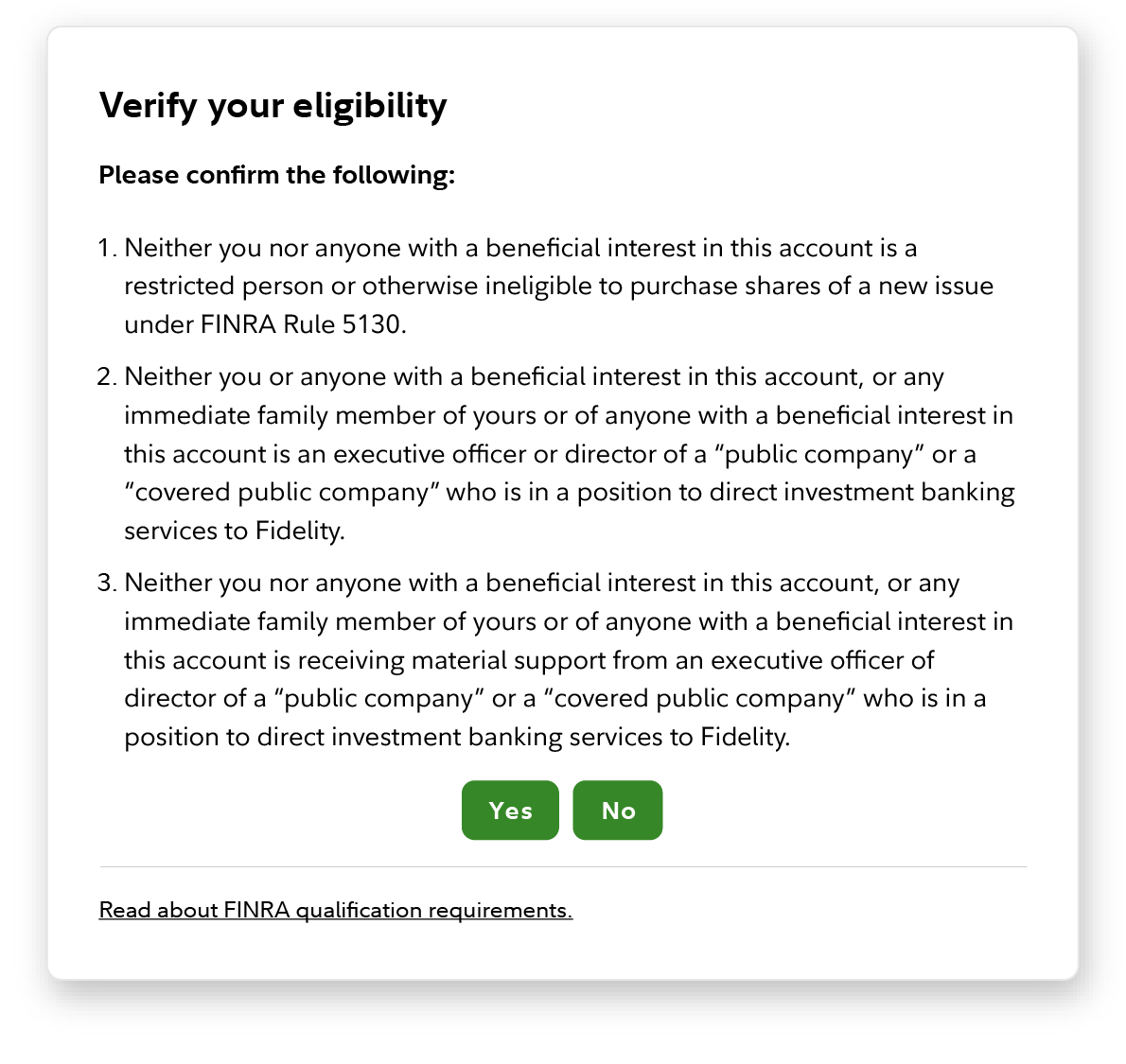
5. Answer the Rule 5130 / 5131 qualification questions by choosing Yes or No.
6. Enter your indication of interest, which lets Fidelity know the maximum share quantity you're interested in buying.
IPO indications of interest (IOI) must meet certain minimum, increment, and maximum quantities. For the Anthropic offering, those parameters would include:
- Minimum request: 25 shares
- Increment: 25 shares
- Maximum request: 1,000,000 shares
Investors can request any number of shares within that range, as long as the total follows the increment rules. IPO indications that do not meet these requirements would not be accepted.
Keep in mind that requesting shares does not entitle you to receive an allocation of shares. Customers may receive fewer shares than they requested or, in some cases, no shares at all. Final allocations will ultimately depend on total customer demand and the quantity of shares Fidelity receives from the Issuer and Underwriters.
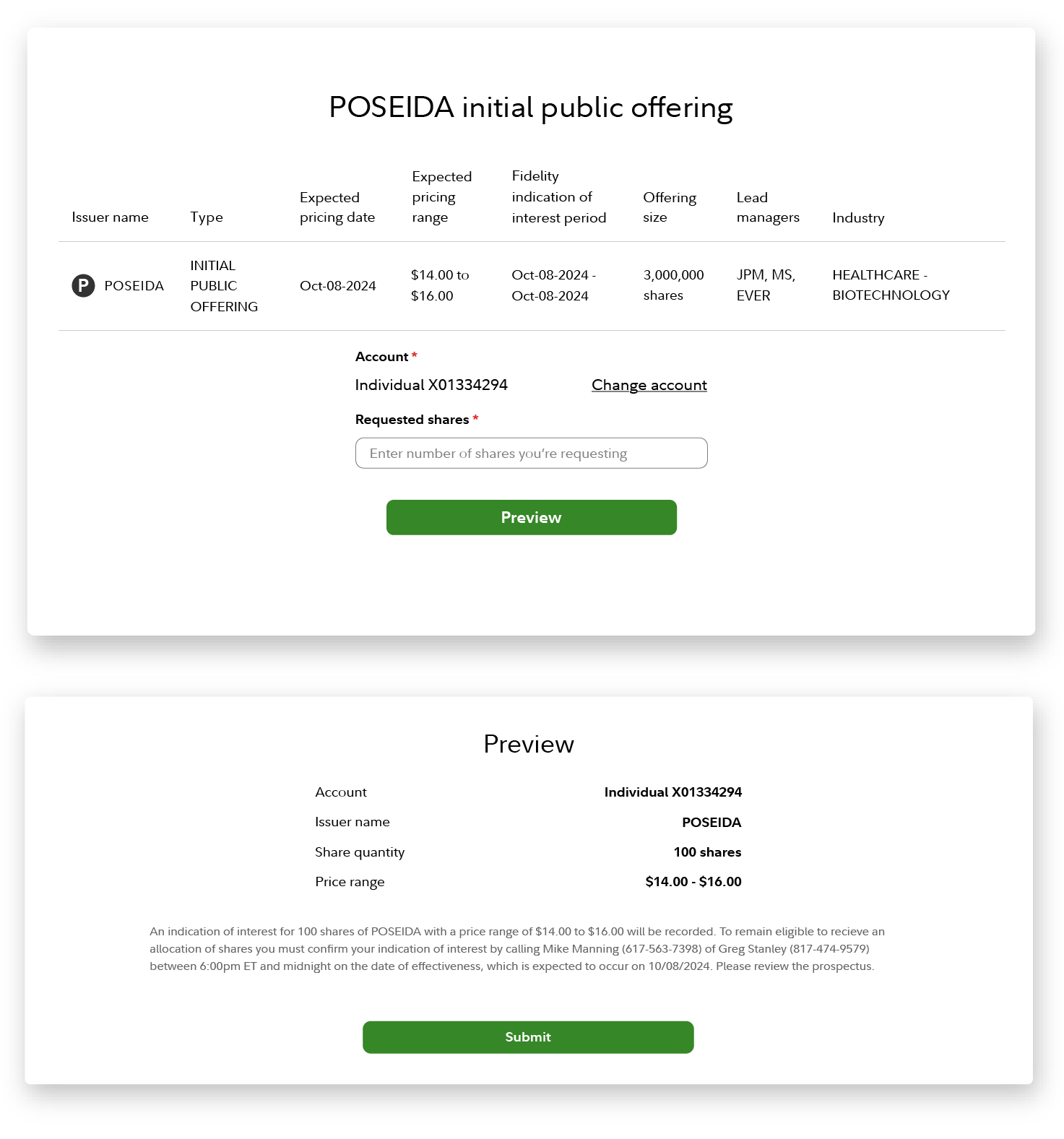
7. Review your indication of interest from the "Open Indications of interest" tab of the Calendar page - Fidelity.com/IPO.
- You can easily modify your indication of interest by selecting the edit button. You may increase the quantity up until the offering period has closed, but after that you may only decrease the quantity.
- You may delete your indication of interest by selecting the delete icon. Please note: if you delete your indication after the offering period has closed, you will not be able to reenter it.
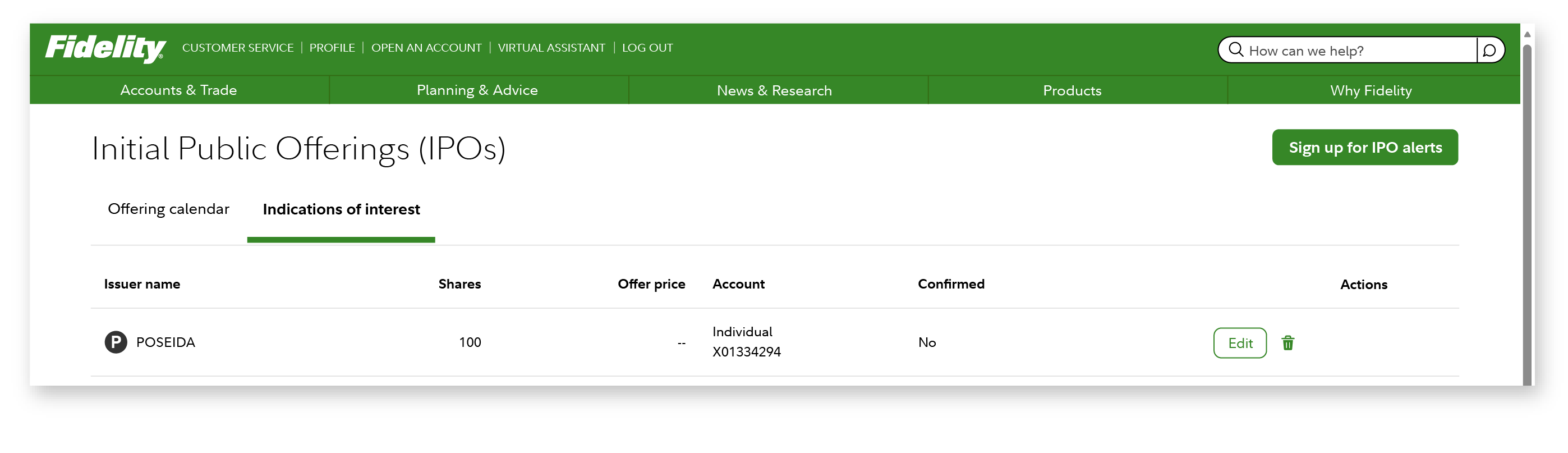
8. Confirm your indication of interest on the night of pricing.
You must confirm your indication of interest after the registration statement has been declared effective and the offering has been priced (usually after 7:00 p.m. ET on the night of pricing). Confirming an indication changes your indication to an order to buy shares at the offer price.
- You can confirm or reduce your existing quantity, but you can't increase shares during confirmation.
- You must confirm your interest to remain eligible for an allocation of shares. This doesn't guarantee you will be allocated shares.
IPO allocations are determined after the order window closes and are designed to distribute shares as fairly as possible among investors.
For the Anthropic IPO, like all IPOs, Fidelity will use our “tiering” methodology to determine allocations.
Fidelity’s allocation methodology evaluates customers based on their relationship with Fidelity as defined by their Social Security number (SSN) or taxpayer identification number (TIN). Each customer who participates in an IPO offering is evaluated and ranked based on the assets and revenue they have in accounts under their SSN.
The allocation methodology is done as fairly and equitably as possible. The size of a customer’s indication of interest is not considered during allocation other than the fact that we will not allocate more than the customer requested. Therefore, you should only enter an indication of interest for the amount of shares you are interested in purchasing, as entering a larger number will not help you receive additional shares and there is always the possibility that you could be allocated everything you ask for.
Please Note: If you submit IOIs for multiple accounts, Fidelity will allocate to the accounts with the smallest IOI quantities first. When IOI quantities across multiple accounts are equal, Fidelity will allocate among those accounts beginning with the account whose IOI was submitted first.
If shares are allocated to you, you must have enough cash available in the account to pay for the purchase by settlement, which is usually the business day following the trade day "T+1." Keep in mind that some account types, such as IRAs, may have contribution limits or other restrictions that could impact your ability to add funds.
9. You will receive an alert once allocation has occurred. To check if you were allocated shares, go to Activity & Orders (Log-in Required).
Allocation will occur on the morning following pricing and is usually complete before 9:30 a.m. ET. An alert will be sent once allocations are complete, and you can check the Activity and Orders tab of your account to determine if you were allocated any shares. Your account will be debited for the purchase if you receive an allocation.
Any shares acquired as part of the IPO must be paid for in full no later than one business day after the stock trades in the secondary market. If you have cash in your account equivalent to the purchase, it will automatically be debited from your account on settlement. If you need to add funds to pay for the shares, payment can be made by check or wire.
You cannot pay for your allocated shares with cash, credit card or the proceeds from the sale of those shares. Failure to pay for shares by settlement may result in the loss of any shares allocated to you. You will also lose any potential gains and be responsible for any losses attributable to the sale of the allocated shares.
After an IPO begins trading in the secondary market, investors are free to sell their shares at any time. However, selling too quickly, often referred to as “flipping,” can carry consequences.
For the Anthropic IPO, a 15-calendar-day tracking period would apply:
- Selling shares within the first 15 days is considered flipping
- Investors can sell without penalty starting on day 16
What happens if you flip Anthropic IPO shares?
Frequent flipping may restrict your ability to participate in future IPOs through Fidelity:
- First occurrence: Restricted for 6 months
- Second occurrence: Restricted for 1 year
- Third occurrence: Permanently restricted (tracked by Social Security number)
This policy is designed to discourage short-term trading behavior that can disrupt IPO pricing and allocation fairness.